EnvoyHome is a self-hosted, security-first home agent: chat, memory, a document knowledge base, static workflows, approvals, and optional smart-home control — all running on your own machine. Your desktop and phone are just windows onto it.
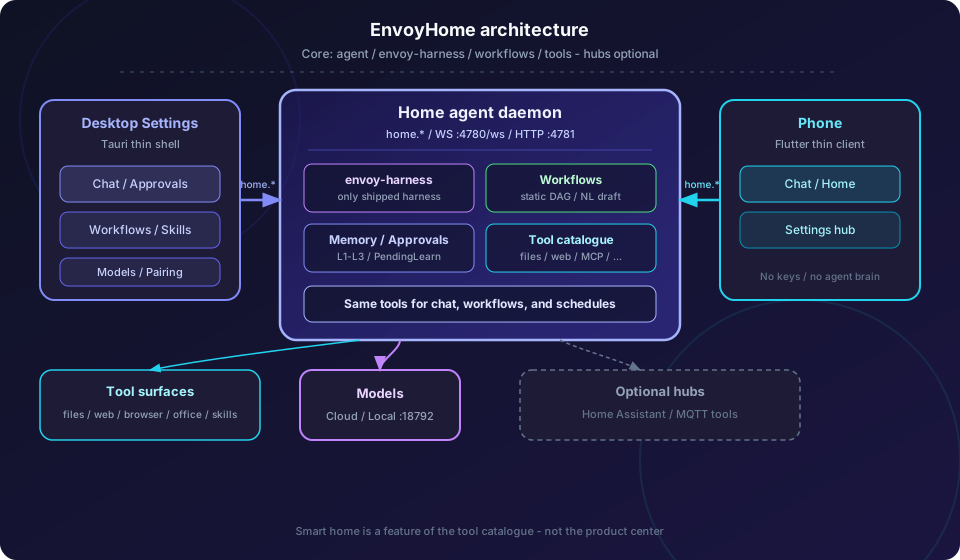
Thin clients dial the home agent over home.*. The center is the agent loop, workflows, memory, and tools; hubs are optional.
A household agent you own — not a cloud chatbot with a home-themed name.
EnvoyHome is the household agent in the EnvoyMesh apps family. The core is the agent loop itself: envoy-harness, static workflows, memory, approvals, and a rich tool catalogue the agent can use — files, web, browser, office documents, skills, schedules, MCP, and more.
The agent lives on the home computer. Keys, transcripts, sandboxes, and smart-home credentials stay there. Desktop and phone dial in over the home.* channel; they are windows, not brains.
Smart home is one tool surface among those capabilities — useful when you connect a hub, never the definition of the product. EnvoyHome enhances Home Assistant and MQTT with natural language, approvals, and workflows. It does not replace your hub, and it does not ship a social network.
Every chat, workflow, and scheduled turn runs through the home daemon. Thin clients reconnect to it — they never hold the model keys or run the loop.
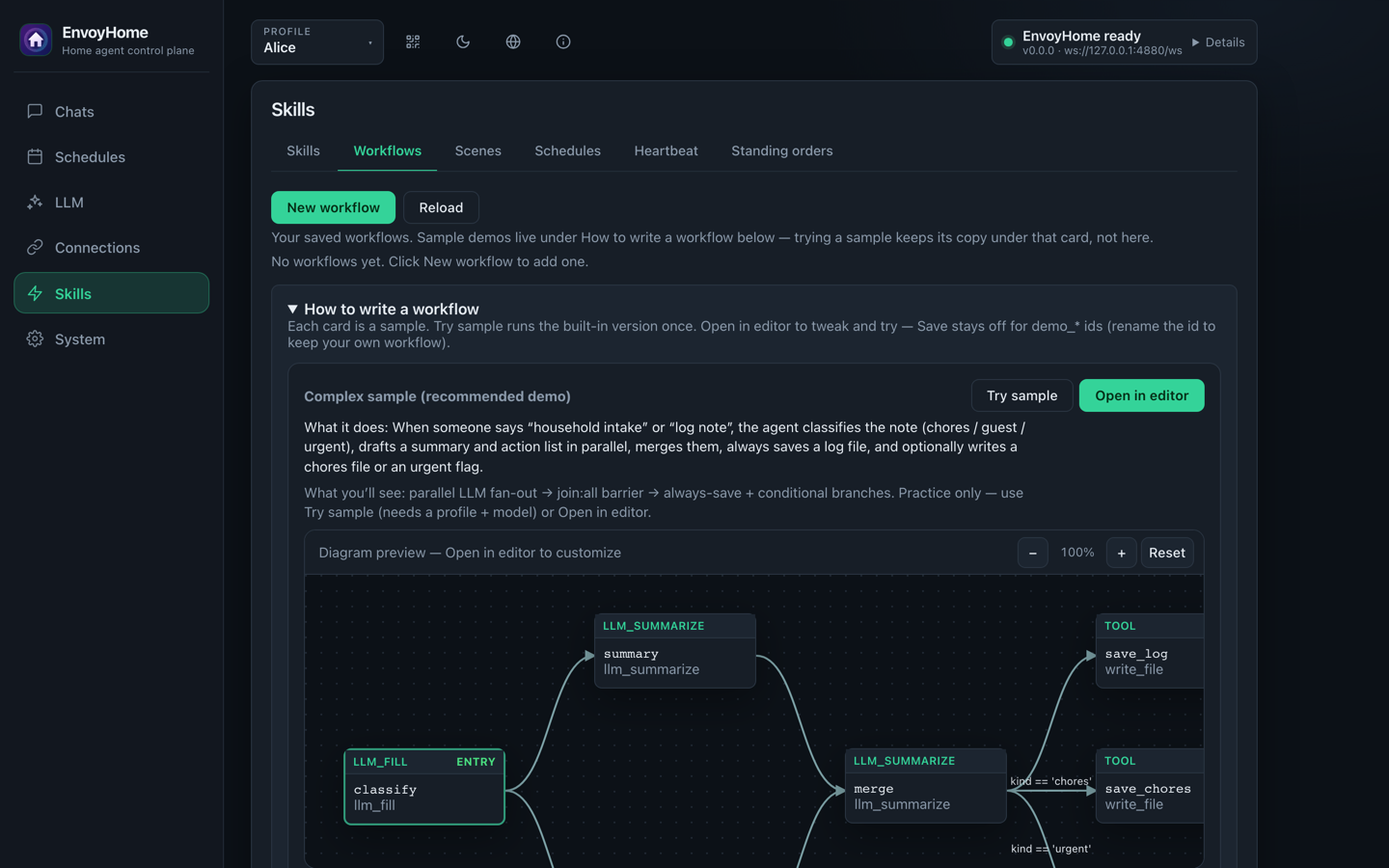
Static DAGs in a visual diagram or YAML, drafted from natural language. Workflow nodes call the same tools as chat, with the same approvals.
Durable pending approvals, a 600-second default TTL, fail-closed decisions, and grants bound to the resolved call — not a blanket “agent may do anything” switch.
Profile, standing notes, daily logs, episodic search, KnowYou, a document knowledge base, and skills — with PendingLearn gating the durable writes.
Household profiles share the agent but keep isolated memory, files, and policy. Phones pair to the house, and each device is bound to the accounts it may act for.
Bring an OpenAI-compatible or Anthropic-compatible provider, run llama.cpp locally, or connect Ollama. Privacy Mode forces local turns and can block smart-home egress.
Files behind a path jail, web search and reading, a browser with form cards, office document import/export, skills, sessions, MCP servers, and optional HA/MQTT tools.
The on-disk format is a SKILL.md directory. Install from disk, a URL, or ClawHub — then verify capabilities before the skill can run. Agent-authored skills wait in PendingLearn.
Repeating or one-shot jobs, natural-language “when” proposals you confirm, a heartbeat for periodic review, and standing orders that survive restarts.
The desktop shell is where the household is configured, the agent is watched, and approvals are answered.
Top-level Workflows (not buried under Skills). Build a DAG in the diagram or in YAML — same tool catalogue and approvals as chat.
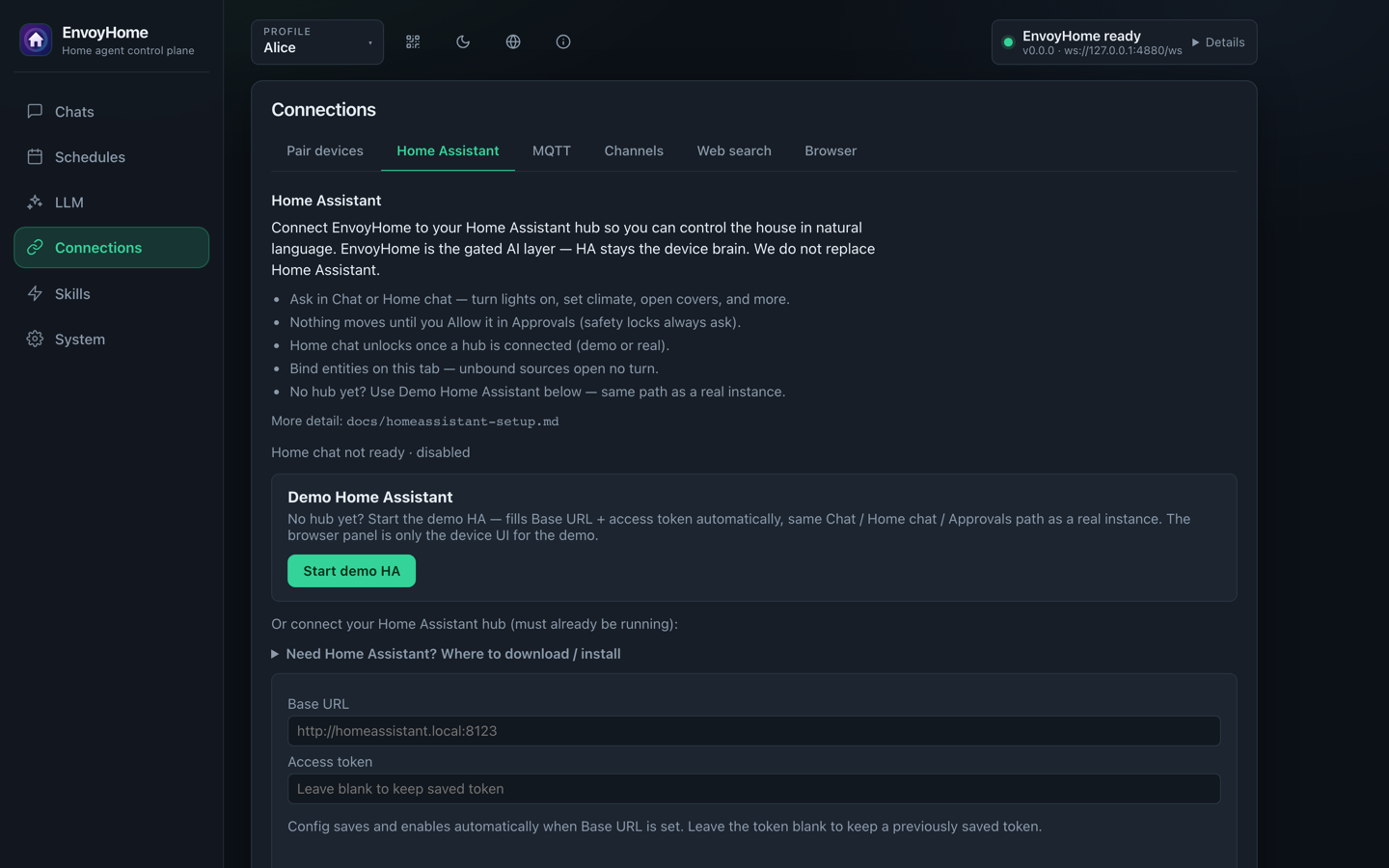
Connect a hub or start the bundled demo. Devices must be bound before the agent can use them; safety locks always ask first.
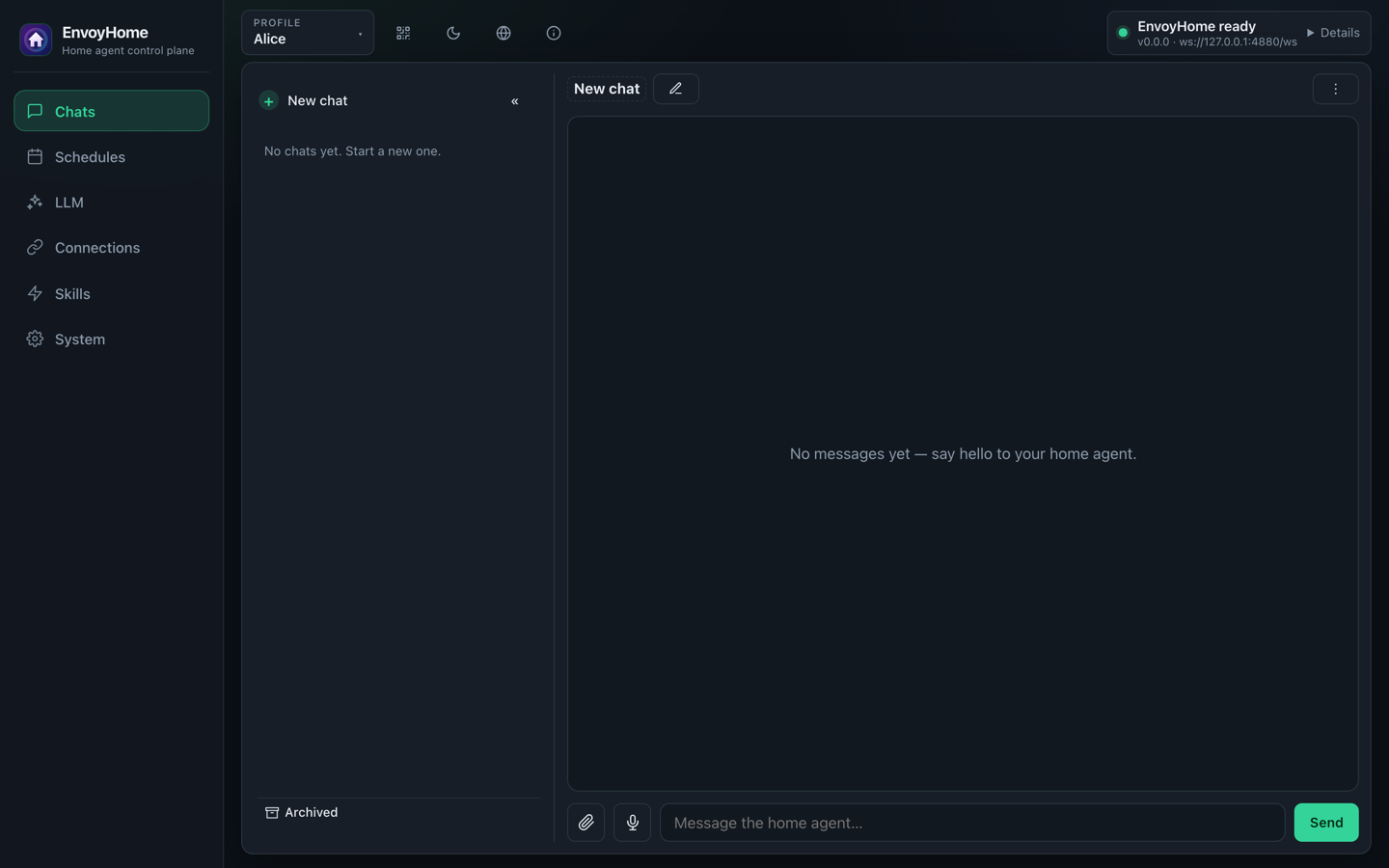
A session rail per profile, a composer for the home agent, and approvals shown inline — Allow, Deny, or narrow to this exact call.
Captured from the local desktop Settings shell against a demonstration profile. Click any screenshot to enlarge.
The EnvoyHome Flutter preview for iOS and Android is a thin client for a daemon you run. Pair once, then chat, answer approvals, and manage the same home setup over your own connection.
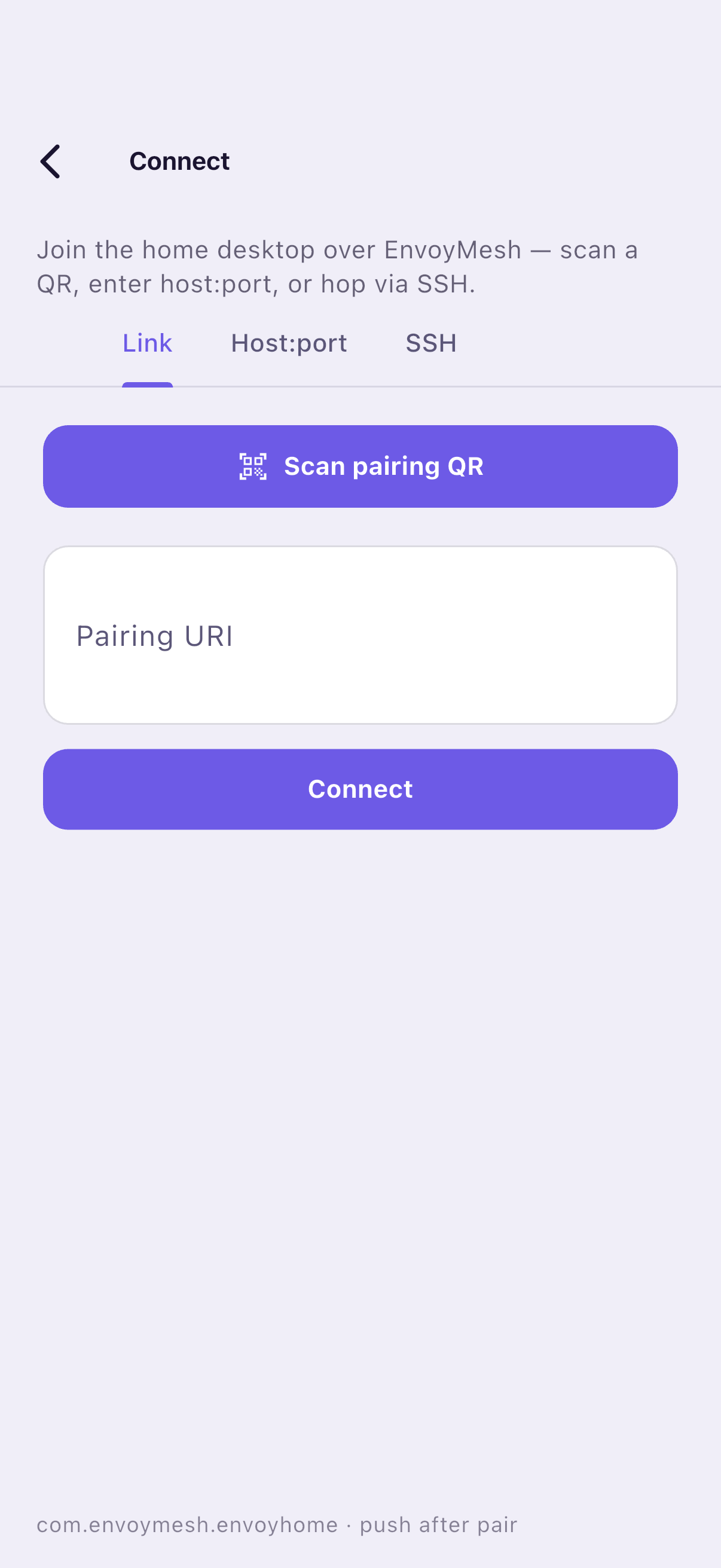
Scan the desktop QR, paste a pairing link, enter host:port, or connect over SSH. The phone dials your home daemon directly.
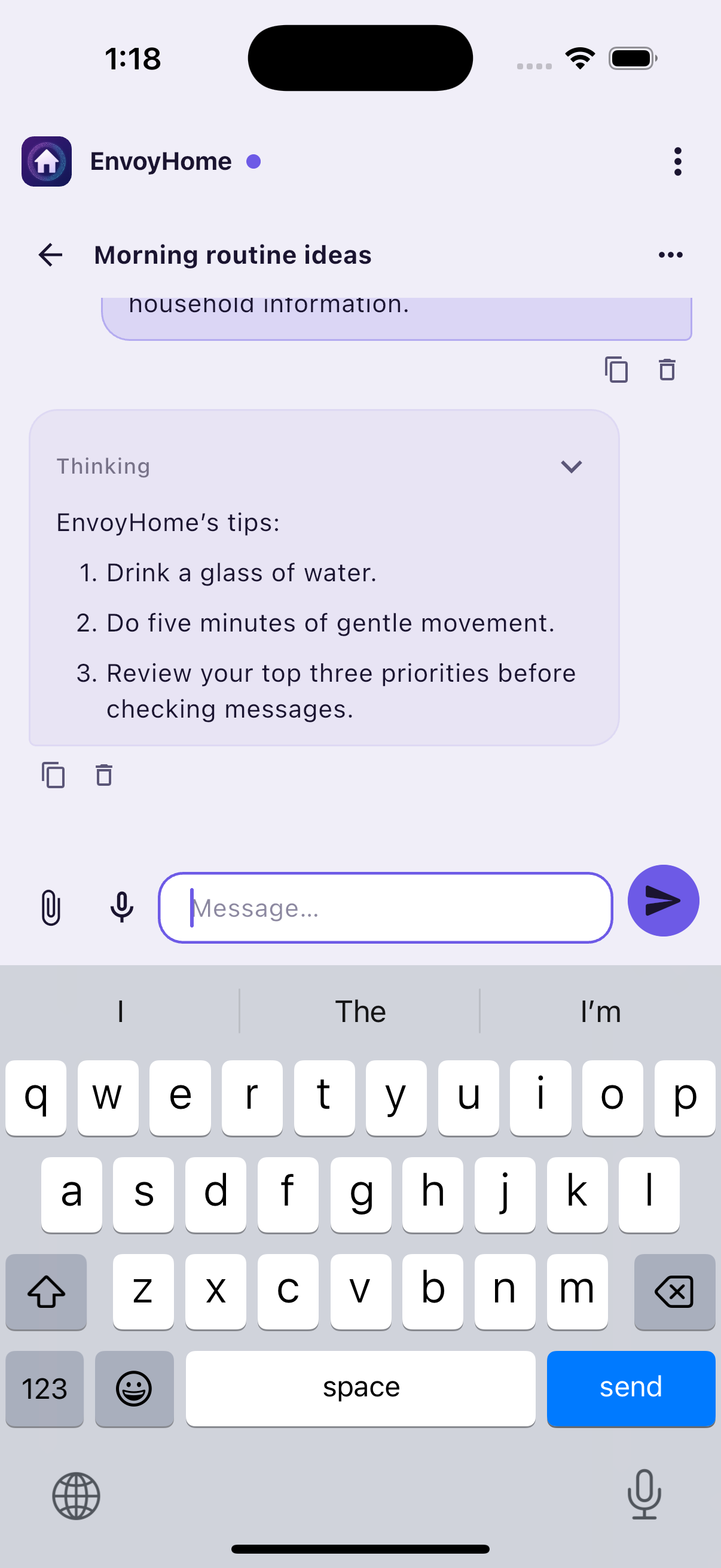
Profile-aware conversations, inline Allow / Deny approvals, attachments, and OS dictation. Shared files and artifacts use the same home connection.
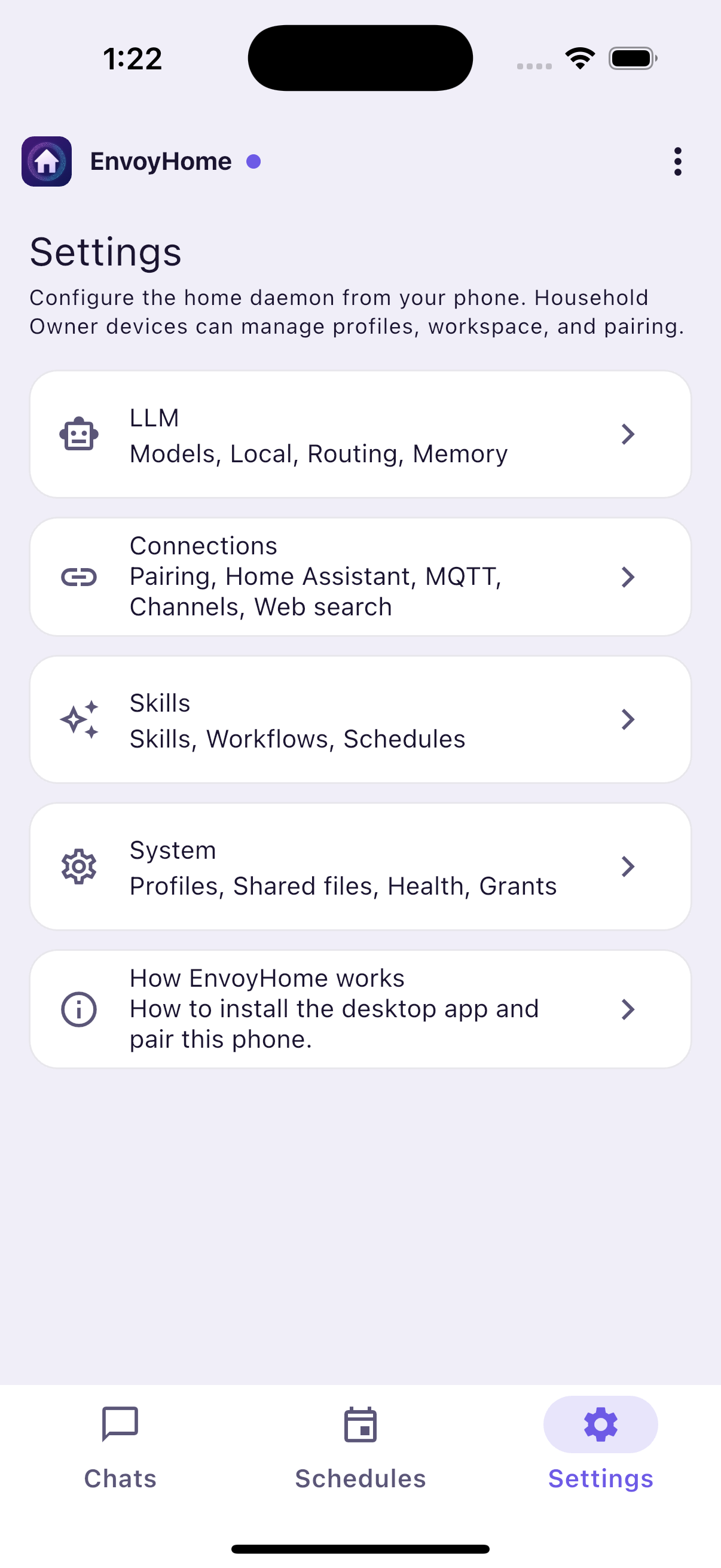
Chat, a Schedules hub (Jobs · Scenes · Histories), and Settings mirror the desktop. LLM, Connections, Skills (packs), and System stay in one Settings hub.
The real Connect screen with Link, host:port, and SSH options. The pairing field is intentionally empty.
A real, generic exchange over the paired daemon connection. The conversation contains no personal or household data.
LLM, Connections, Skills, and System mirror the same desktop control plane over the paired home connection.
Captured from the actual Flutter app on an iOS simulator. Click any phone screenshot to enlarge.
EnvoyHome does not treat “everything is memory” as a design. Each layer has a job, a budget, and an injection rule — so the agent can remember without quietly rewriting who you are.
MEMORY.md, and the last two days of notes.L5 (deep store) is a slot: files by default, heavy RAG backends only as optional plugins. Files remain the source of truth.
knowledge/; EnvoyHome indexes them per account in local SQLite and answers with citations. Hybrid search can use the Home embed engine on :18793 — all on the home machine. Your documents are not uploaded to an EnvoyHome cloud, because there isn’t one.
Connect Home Assistant or an MQTT broker and the agent can read state and — with approval — call services. It integrates with your hub; it does not become one.
admin, not a file write. Unattended turns need a matching grant; script, scene, and button indirection is denied by default.neverUnattended ask every single time.Preview posture: Home Assistant REST tools and MQTT publish work today, with bundled demo hubs for the full Chat → Approvals path. Live inbound event plumbing and a signed-off live household still follow the operator checklist.
The EnvoyMesh thin client is the primary path. First-party chat plugins cover six common platforms, and an HTTP hatch takes care of the rest.
Desktop and phone dial the house directly over home.*, with full Settings and Chat. Pair once by QR, host:port, or SSH hop.
The reference bot plugin. Bind a sender to a household profile; replies stay on the same thread.
DM-based chat through the official bot API. No guild-wide actuation.
Socket Mode app with bot and app tokens. Direct messages only.
Long-connection events, p2p messages only — no public callback URL required.
Stream Mode robot for 1:1 conversations.
WeChat Customer Service sync for 1:1 support threads.
A minimal /v1/inbound endpoint for bots that never load as plugins.
Chat plugins ship with setup guides and a shared sender → profile link. Live bot verification is still in progress for the IM set — for preview use, the phone thin client is the primary path.
Shared-home defaults: sandbox on, approvals durable, unknown things fail closed.
Identity is an Ed25519 key pair on your devices. There is no EnvoyHome sign-up, no email address, and no hosted transcript store to breach.
Pending approvals and grants are files per account. A restart keeps the question; a timeout resolves to deny; an unresolvable principal is denied.
File tools resolve through one jail. Tools declare read, write, exec, network, admin, or sensitive — and can escalate, never de-escalate.
A hard switch that forces local turns and refuses cloud tools. With smart-home egress blocking on, it also refuses actuation and event-source notifications.
Memory, transcripts, files, grants, and policy are keyed by account. A paired device may only act for the accounts it is bound to.
Actuation is admin. Camera, lock, and presence data is sensitive and forces local inference. Device state never becomes standing memory automatically.
Three apps sharing one mesh — identity, pairing, and transport — while each keeps its own brain and its own state.
The desktop home node and peer-to-peer mesh that the rest of the family is built on.
Visit envoymesh.cn →
The control plane for coding agents — reach your own machines from a window or a phone.
Visit envoymesh.cn/envoydev →
A local-first AI journal that pairs with the home node for private sync and home AI.
Visit envoymesh.cn/veda-ai →Preview builds run from source. You need Node.js 22+, pnpm, and a sibling EnvoyMesh checkout.
EnvoyHome links @envoymesh/* with link: — they are not on npm. The peer check fails closed if a sibling is missing or on the wrong branch.
./scripts/peers-check.sh
# or set ENVOYHOME_PEERS_GIT_BASE and run ./scripts/fetch-peers.sh
Never install with CI=true set — pnpm’s strict-mode trap is a documented convention in this repo.
env -u CI pnpm install pnpm -r build
Run the daemon alone, or let the desktop shell supervise it. Then create a profile, add a model, and pair a phone when you want one.
pnpm run dev:daemon # daemon only pnpm desktop:dev # Tauri Settings shell
| WebSocket | ws://127.0.0.1:4780/ws |
| Health | http://127.0.0.1:4781/health |
macOS is the primary desktop target; Linux and Windows are best-effort. The phone app is a Flutter preview.
EnvoyHome 0.2.0 is an early-adopter preview. v1.0.0 is not tagged yet, and there is no App Store or Play listing live — install from source or a locally built package under release/.
Node.js ≥ 22 and pnpm 10.33 (the root packageManager), a sibling EnvoyMesh checkout, and Rust plus the Tauri CLI prerequisites for the desktop shell.
./scripts/peers-check.sh
env -u CI pnpm install
pnpm -r build
pnpm desktop:dev # daemon build if missing, then Tauri dev
desktop:dev runs ./scripts/desktop-dev.sh: it builds packages/daemon/dist/bin/envoyhome-daemon.js only when that file is missing, then starts tauri:dev. Tauri supervises the daemon once the binary exists. No provider config file is needed before launch — first-run Settings asks for a profile and a model provider (preset + key, or Local / Ollama).
Release installers: ./scripts/build-desktop.sh macos → release/envoyhome-desktop-0.2.0-macos-*.dmg (Developer ID + notarization required; push credentials staged unless REQUIRE_PUSH_CREDENTIALS=0). Windows: .\scripts\build-desktop.ps1 on a Windows host.