Run Claude Code, Codex, OpenCode, Cursor, and more — on your own machines. Reach them from a window or a phone. Open source, self-hosted, local-first.
A desktop app that drives coding agents on the computer where your code lives.
EnvoyDev is a desktop app that drives coding agents on the computer where your code lives. It does not try to be an agent — it gives Claude Code, Codex, OpenCode, Cursor, DeepSeek's CLI, and others one unified window: the same timeline, the same approvals, the same diff review, on every agent.
Your code never leaves your machine. Your model keys stay with the agent that uses them. EnvoyDev never asks for an account.
EnvoyDev is built on EnvoyMesh — part of the apps group that shares the mesh (identity, discovery, relay) and the pairing experience with the rest of the family, while keeping its own project and task state.
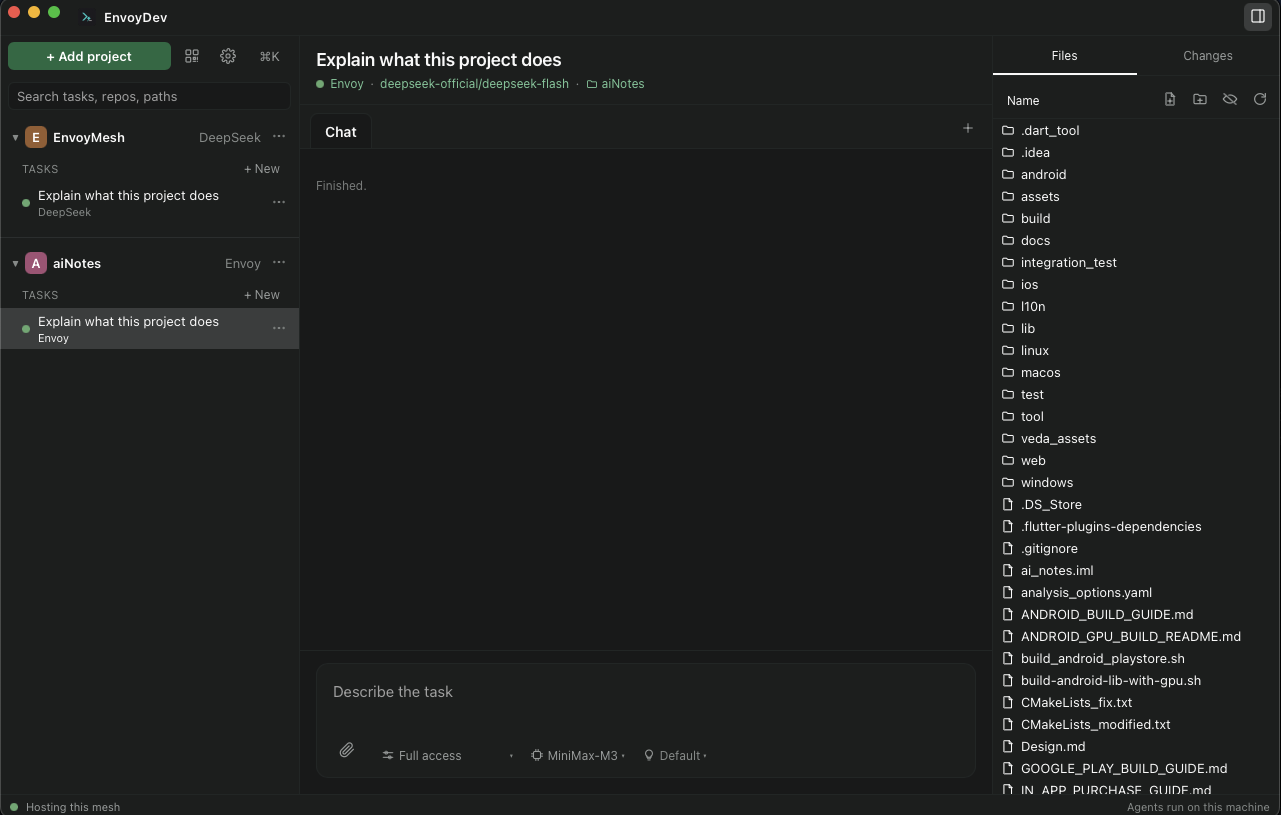
The desktop side of EnvoyDev — where projects, tasks, transcripts, and approvals all live together.
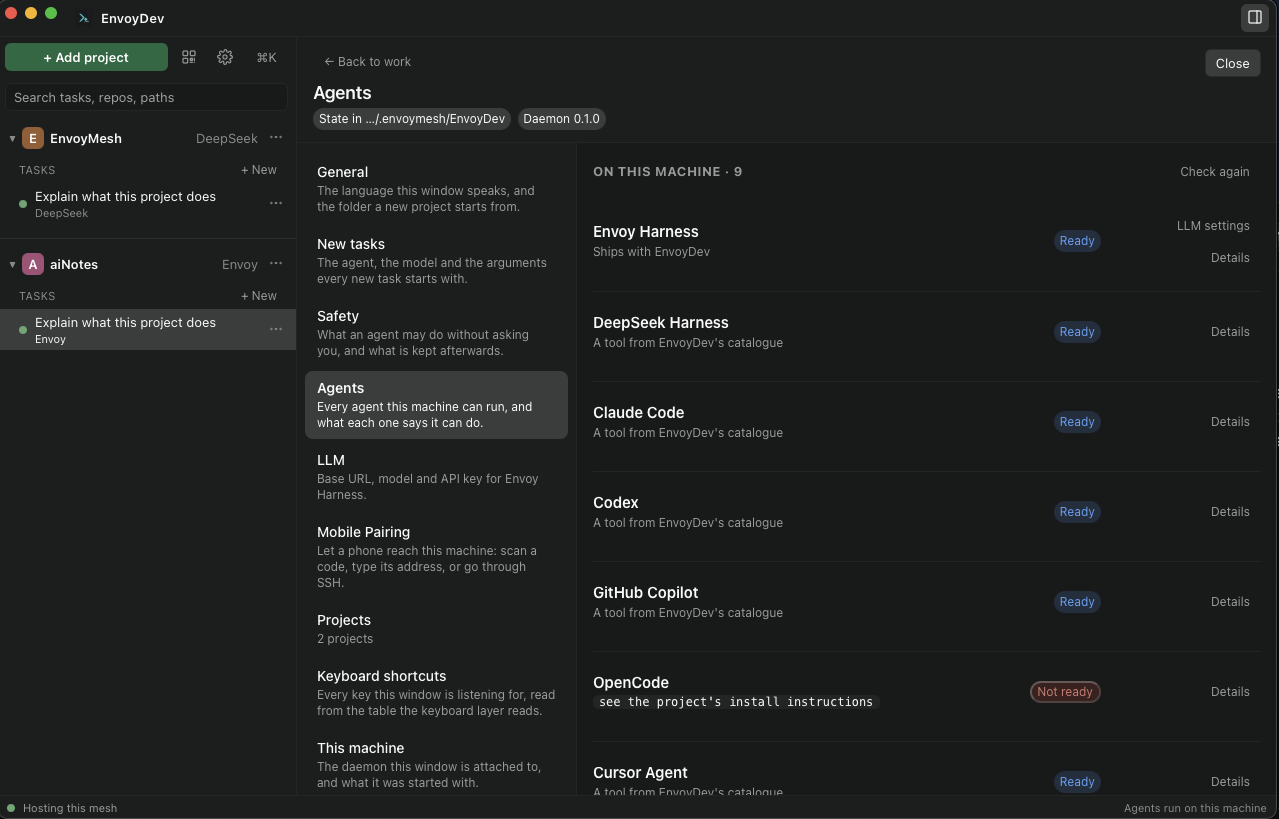
Pick the coding agent per task — from the nine EnvoyDev-tested harnesses or a larger ACP catalogue. Switch models and CLIs without learning a new UI.
A project is the folder you work in. A task is one unit of work in it — with its own branch, agent, and model. Drag the rail and explorer to resize; widths are remembered.
A live transcript with messages, tool calls, file changes, and approval cards — so you always know what the agent is about to do.
A permission dock shows scope and risk before each tool runs. Nothing happens until you say so.
Queue waits for the turn. Steer interrupts it. The transcript records which one happened.
Branch, fetch, pull, stash, merge — and hand a conflicted merge to an agent when you want help resolving it.
App-managed by default; optionally run it as an OS service so the phone can reach a machine with no window open.
Codes and links last until you revoke them under This machine (or Forget on the thin client) — no calendar expiry after a restart.
Settings → Paired homes joins a server or office machine as a thin client. Agents and provider keys stay on that home.
Host a team, invite another EnvoyDev, and run collaborative steps on the same Git project — work is shared through Git, not the mesh.
Your work is on your machine — pick it up where you left off. The window reconnects after restart until you Forget or revoke.
All three are first-class. Desktop version is the one-line VERSION file at the repo root — Settings → About compares this window with the service.
One unified UI for every first-class coding harness. Install only the CLIs you actually use — EnvoyDev discovers the rest at runtime.
Your model credentials live with the agent that uses them — EnvoyDev never proxies them, never asks for an account.
EnvoyDev Mobile is the phone-side companion to your desktop. Pair, watch, approve, and steer — from anywhere.

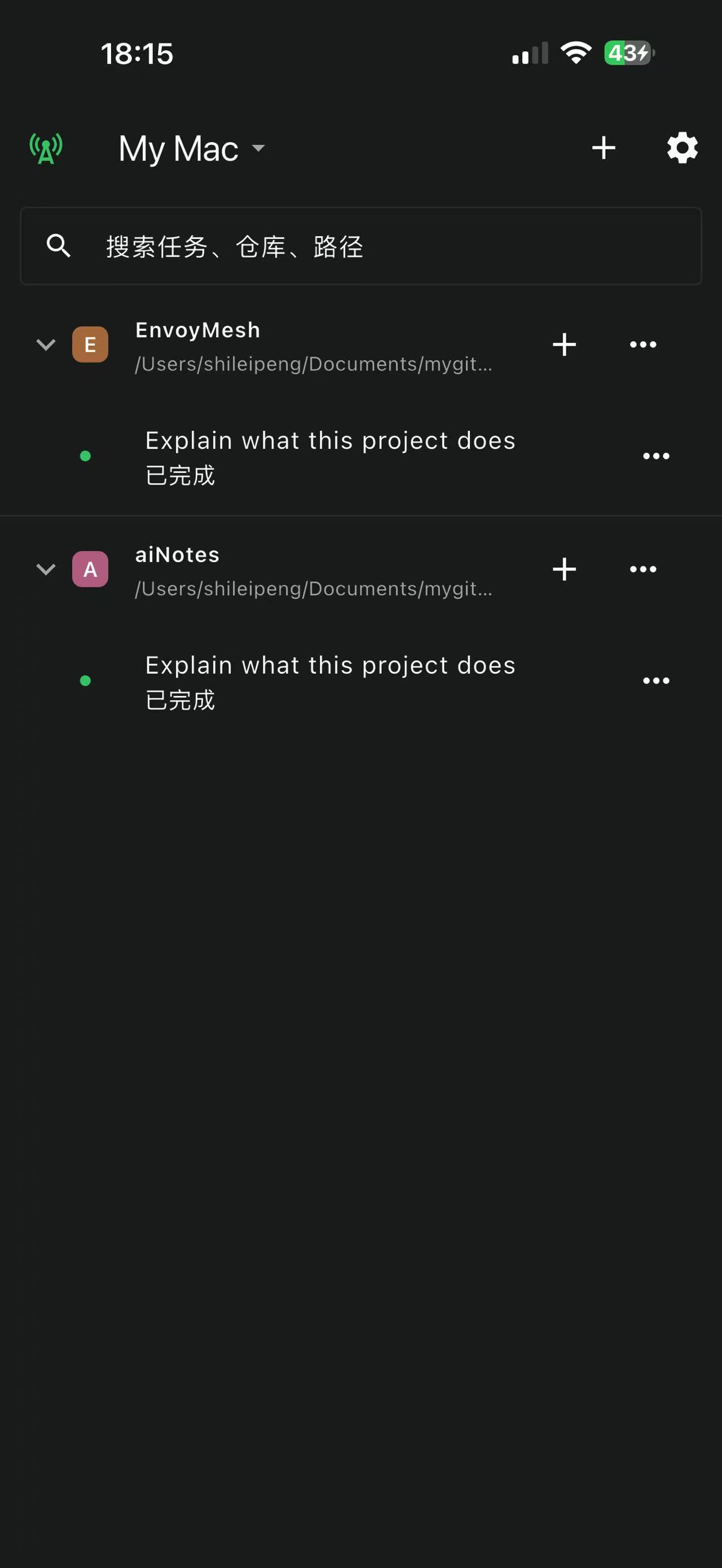
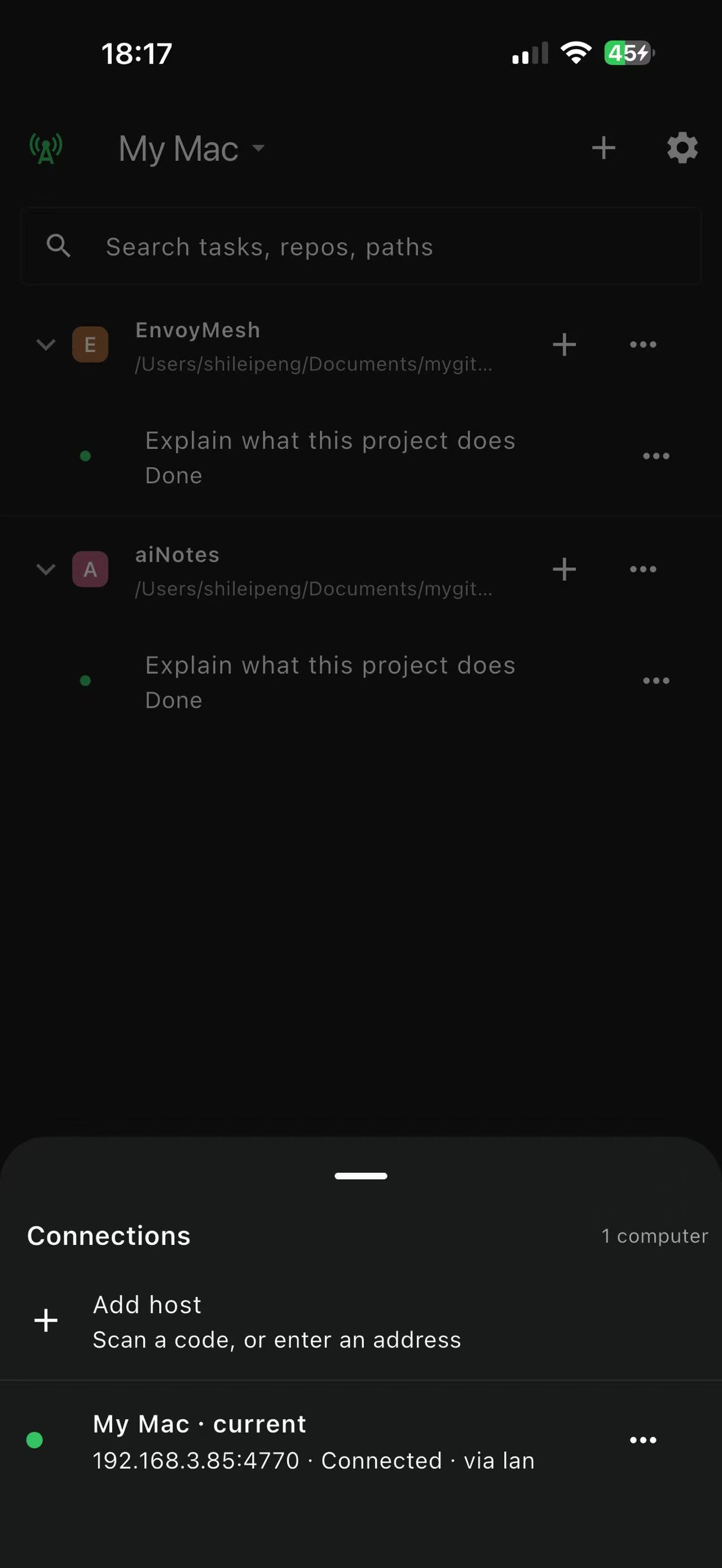
Projects and tasks on the phone.

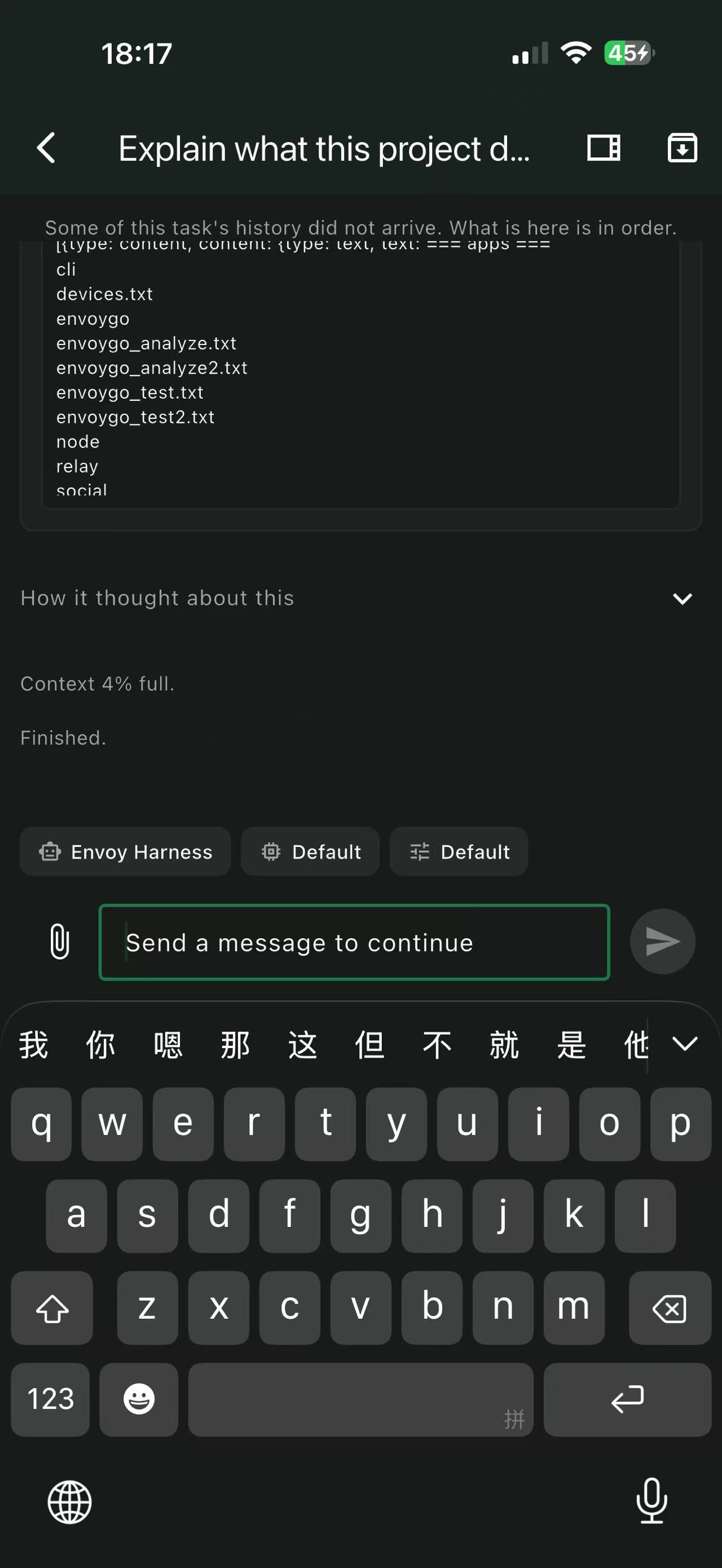
A live run, on the go.

How the phone reaches the desktop.
The fastest path. Open the desktop Settings → Pair devices, show the QR, point the phone. Done.
Type something like devbox.local:4770 and paste a token. Direct TCP for same-network or VPN.
Point the phone at any SSH-reachable box that can see the desktop. The tunnel terminates on the daemon's loopback — no public IP needed.
The phone is a thin client — it never runs an agent, never holds a provider key. Your desktop does the work; the phone is the window. Pairings stay until you Forget the host on the phone or revoke the device under Settings → This machine on the desktop.
EnvoyDev shares the same identity (Ed25519 keys, cryptographic pairing), the same discovery (LAN → public → P2P → bootstrap → relay, in that order), and the same mesh and pairing UX as the rest of the family. State is per-product: EnvoyDev keeps its project and task tree under <home>/EnvoyDev/, while EnvoyMesh's mesh, peer list, and identity are shared.
Desktop installers for macOS and Windows, the Android APK, and the App Store / Google Play listings.
EnvoyDev Mobile
Scan a QR or open the store link for EnvoyDev Mobile. The Android APK is also available from GitHub releases — pick the latest APK asset — or via the Mirror link if GitHub is unreachable. For Linux tarballs and source, see GitHub releases.